
- 분류 전체보기 (484)

| 일 | 월 | 화 | 수 | 목 | 금 | 토 |
|---|---|---|---|---|---|---|
| 1 | 2 | 3 | 4 | 5 | 6 | 7 |
| 8 | 9 | 10 | 11 | 12 | 13 | 14 |
| 15 | 16 | 17 | 18 | 19 | 20 | 21 |
| 22 | 23 | 24 | 25 | 26 | 27 | 28 |
- The Elements of Computing Systems 2/E
- Shimon Schocken
- 백준
- 알고리즘
- 메타버스
- 일기
- JavaScript
- hanbit.co.kr
- BOJ
- Noam Nisan
- 주우석
- 게임 수학
- https://insightbook.co.kr/
- 이득우의 게임수학
- C
- C#
- 잡생각 정리글
- C++
- 박기현
- HANBIT Academy
- unity6
- booksr.co.kr
- 밑바닥부터 만드는 컴퓨팅 시스템 2판
- (주)책만
- 김진홍 옮김
- 입출력과 사칙연산
- 생능출판
- 데이터 통신과 컴퓨터 네트워크
- 이득우
- 전공자를 위한 C언어 프로그래밍
- Today
- Total
cyphen156
디스코드 봇 - 주크박스 만들기 #2 봇 활성화 및 코드 적용하기 본문
공부하긴 싫고 프로젝트도 조그맣게 하고싶어서 하는 프로젝트
이 글은 다음 블로그를 참고하여 만들었습니다.
디스코드 봇 만들기 강좌(2) - 봇 대화 기능 추가 및 온라인 활성화(feat. 파이썬) : 네이버 블로그
디스코드 봇 만들기 강좌(2) - 봇 대화 기능 추가 및 온라인 활성화(feat. 파이썬)
안녕하세요 무위자연입니다. 이전 포스팅에서 디스코드 봇을 생성하고 서버에 추가하는 방법에 대해 알아보...
blog.naver.com
블로그에선 파이썬으로 생성했지만 나는 자바스크립트로 하겟다. 이거 뭔가 비주얼 코드 익스텐션으로도 붙일 수 있을거 같아서 말이지 ㅎㅎ;;
C#으로 할까 고민하다가 코드 익스텐션이 TS로 제작되는걸 생각하고 그냥 JS로 하기로 했다.
사실 유튜브 스트리밍 봇은 참 많은데 그냥 멘탈 케어용 토이프로젝트니 재밋는거 해보는구나 하고 넘어가자
우선 기본적으로 필요한건
VS Code
Documentation for Visual Studio Code
Documentation for Visual Studio Code
Find out how to set-up and get the most from Visual Studio Code. Optimized for building and debugging modern web and cloud applications. Visual Studio Code is free and available on your favorite platform - Linux, macOS, and Windows.
code.visualstudio.com
Node.JS
Node.js — Node.js® 다운로드
Node.js® is a free, open-source, cross-platform JavaScript runtime environment that lets developers create servers, web apps, command line tools and scripts.
nodejs.org
Discord
Download Discord to Talk, Play, and Hang Out
Download Discord to Talk, Play, and Hang Out
Download Discord to talk, play, and hang out with friends over voice, video, or text. Available for Windows, macOS, Linux, iOS, Android devices, and consoles.
discord.com
이렇게 세가지가 필요하다.
여기선 이미 설지되엇다고 가정한다.
중요한건 JS 최소 버전이다.
워낙 버전업이 자주 일어나는 라이브러리라서 말이지....
참고로 주인장의 JS 버전은 다음과 같다.
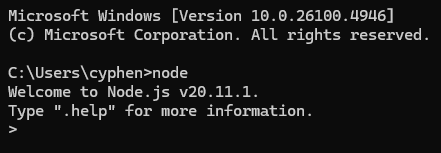
사용되는 라이브러리는 다음 사이트에서 정확한 요구사항을 알 수 있다.
Introduction | discord.js Guide
discord.js Guide
Imagine a guide... that explores the many possibilities for your discord.js bot.
discordjs.guide
우선 프로젝트를 생성하자
우리가 사용할건 yarm이다. npm도 좋긴한데 사고 한번 난 뒤로 잘안쓰게되더라...
1. 프로젝트 폴더 만들기
PS C:\Workspace> cd d:
PS D:\> cd project
PS D:\project> mkdir Jukebox-Bot


    디렉터리: D:\project


Mode                 LastWriteTime         Length Name
----                 -------------         ------ ----
d-----      2025-08-18   오후 5:23                Jukebox-Bot


PS D:\project> cd JukeBox-Bot
PS D:\project\JukeBox-Bot>
2. 초기 파일 생성하기
대충 초기 이닛 시작하면 다음과 같이 입력할 수 있다.
PS D:\project\JukeBox-Bot> yarn init
yarn init v1.22.21
question name (JukeBox-Bot):
question version (1.0.0):
question description: ToyProject : Discord JukeBox-Bot
question entry point (index.js):
question repository url:
question author: Cyphen156
question license (MIT):
question private:
success Saved package.json
Done in 10.38s.
PS D:\project\JukeBox-Bot>
그럼 튀어나오는건 Pakage.js파일이다.
Pakage.json
{
  "name": "JukeBox-Bot",
  "version": "1.0.0",
  "description": "ToyProject : Discord JukeBox-Bot",
  "main": "index.js",
  "author": "Cyphen156",
  "license": "MIT"
}
3. 깃허브에 레포지토리 생성하기
간단하게 설명하자면 깃허브 데스크탑으로 Create a new repository버튼을 통해 기존에 있는 로컬 디렉터리를 업로드했다.
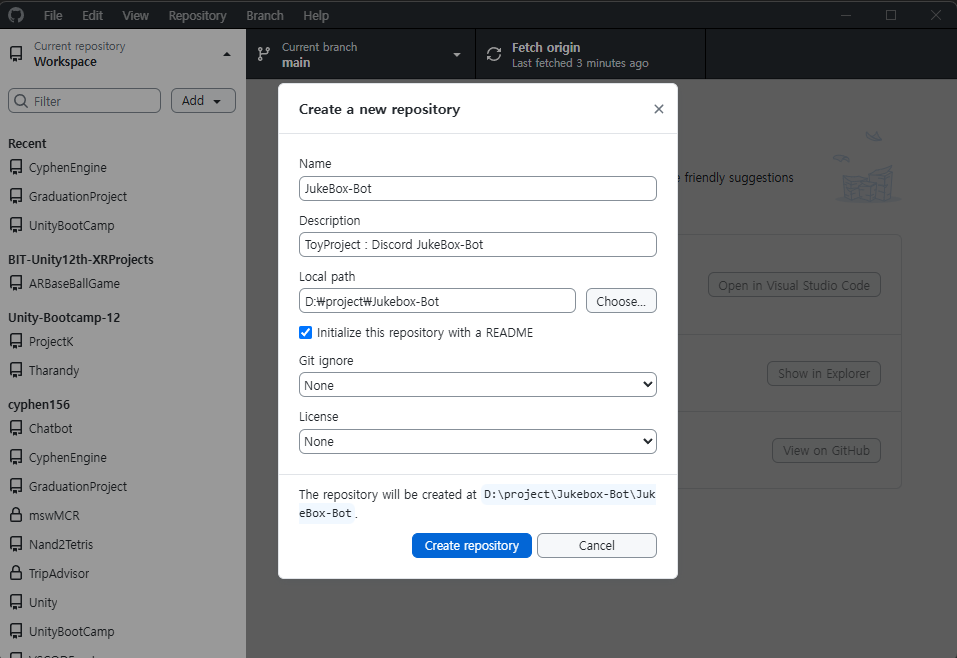
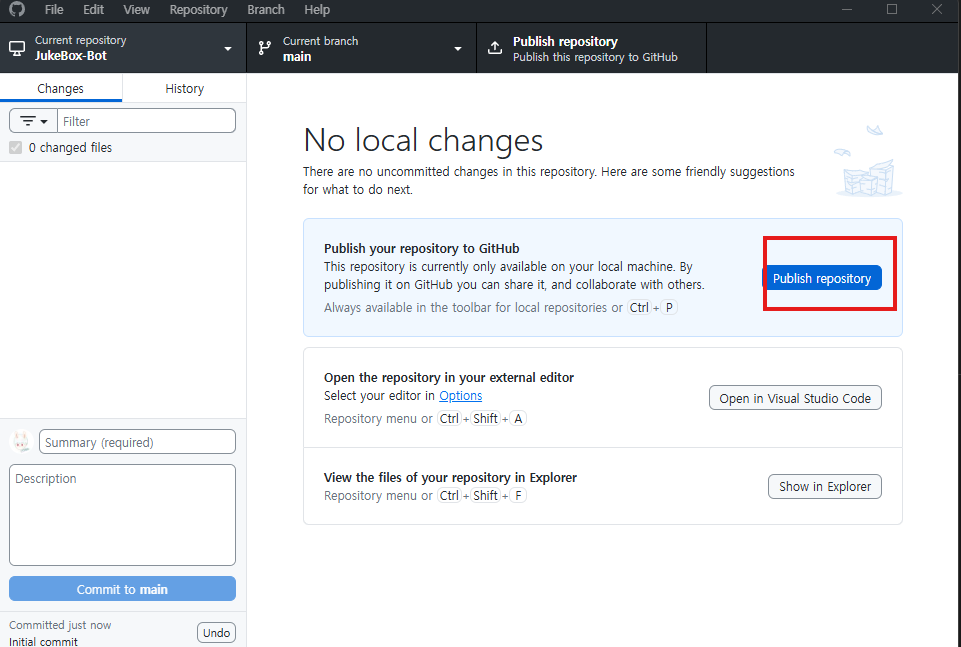
퍼블리시 꼭 눌러줘라
초기에 다음과 같이 나올텐데 경로 한번 더들어가야되서 귀찮으니까 조금 수정해주자
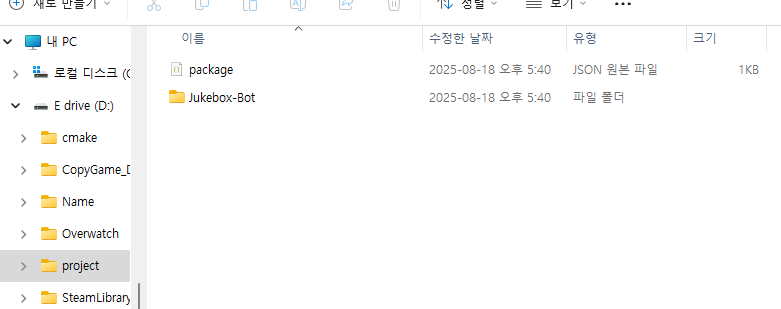
저 파일 세개를 상위 폴더로 옮긴다. 그리고 디렉토리는 지운다.
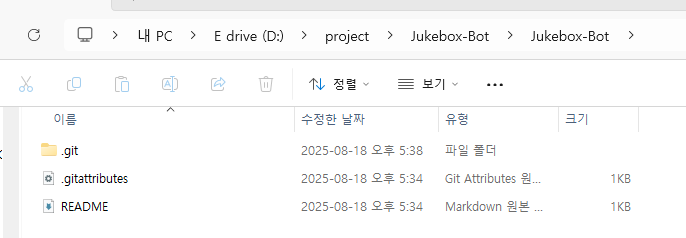
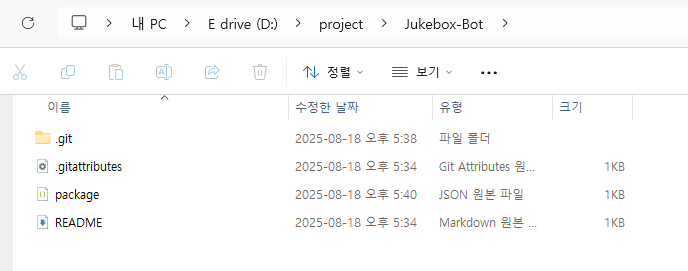
그러면 다음과 같이 레포지토리를 못찾는다고 나오는데 경로 다시 설정해주면된다.
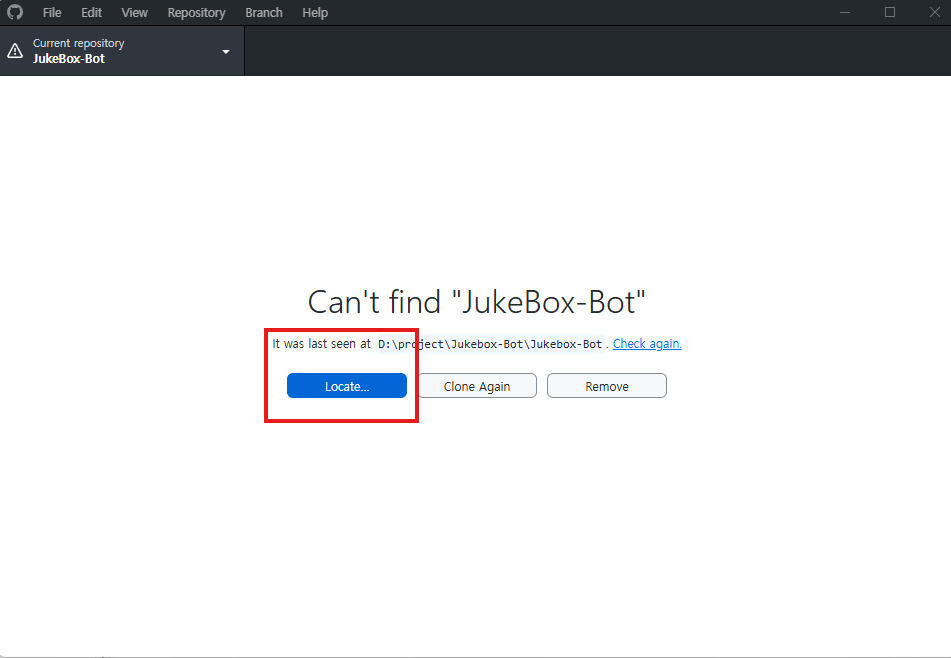
4. 추가 라이브러리 설치
.gitignore <- 이거 추가 안하면 라이브러리 폴더 싹다 깃허브에 올라가니까 꼭 추가하기!!
추가한 코드는 다음 한줄이다.
node_modules

config.js
※ 추신 다른 컴퓨터에서 작업할 때 종속성 문제로 실행 안될때는
node_modules 폴더와 yarn.lock 파일이 있는지 확인하고 있다면 지우기, 없다면 바로 코드 실행한다.
다음 코드를 실행한다. 그러면 라이브러리 재설치한다.
yarn install
종속성 패키지 설치
discord.js
eslint
yarn add discord.js
yarn add eslint @eslint/js --dev
eslint.config.js
import { configs } from '@eslint/js';

export default [
	configs.recommended,
	{
		languageOptions: {
			ecmaVersion: 'latest',
		},
		rules: {

		},
	},
];
애플리케이션 메인 진입점 만들기
index.js
프로젝트 루트, .env에서 토큰을 읽어와 애플리케이션을 초기화 하는 프로그램 진입점
// Require the necessary discord.js classes
const { Client, Events, GatewayIntentBits } = require('discord.js');
const { token } = require('./config.json');

// Create a new client instance
const client = new Client({ intents: [GatewayIntentBits.Guilds] });

// When the client is ready, run this code (only once).
// The distinction between `client: Client<boolean>` and `readyClient: Client<true>` is important for TypeScript developers.
// It makes some properties non-nullable.
client.once(Events.ClientReady, readyClient => {
	console.log(`Ready! Logged in as ${readyClient.user.tag}`);
});

// Log in to Discord with your client's token
client.login(token);
config.js
아까 생성한 토큰 코드를 입력할 곳 외부로 유출되면 안되니까 꼭 .gitignore에 추가하자
{
    "token" : "MTQwNjkwND..."
}
프로그램 실행하기
최종적으로 다음과 같은 폴더 구조가 형성된다.
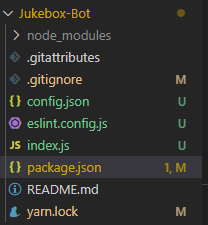
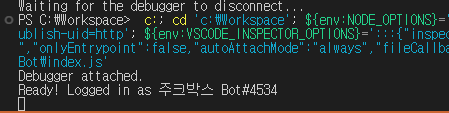
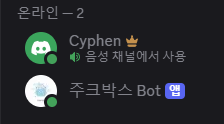
이제 디버깅을 시작하면 다음과 같이 터미널에 메세지가 출력되면서 디스코드 봇이 활성화된다.
프로젝트 코드는 다음 레포지토리를 통해 제공됩니다.
cyphen156/JukeBox-Bot: ToyProject : Discord JukeBox-Bot
GitHub - cyphen156/JukeBox-Bot: ToyProject : Discord JukeBox-Bot
ToyProject : Discord JukeBox-Bot. Contribute to cyphen156/JukeBox-Bot development by creating an account on GitHub.
github.com
※ 다른 디스코드 봇들 처럼 항상 온라인으로 동작하는 봇을 만들고 싶다면
웹 호스팅을 사용하던지, 디스코드 실행시 봇이 같이 실행되도록 하면 된다.
그럼 내가 디스코드를 켤 때 봇이 같이 켜지니까. 내가 쓸때는 항상 온라인이게 된다.
'토이프로젝트 > 디스코드 주크박스 봇' 카테고리의 다른 글
| 디스코드 봇 - 주크박스 봇 만들기 #6 플레이리스트 저장 && 암호화 (3) | 2025.08.29 |
|---|---|
| 디스코드 봇 - 주크박스 봇 만들기 #5 복호화 → 암호화 재생 → 스트림 안정화 (6) | 2025.08.22 |
| 디스코드 봇 - 주크박스 만들기 #4 유튜브 연동하기 (3) | 2025.08.21 |
| 디스코드 봇 - 주크박스 만들기 #3 명령어 배포하기 (1) | 2025.08.19 |
| 디스코드 봇 - 주크박스 만들기 #1 봇 생성하기 (2) | 2025.08.18 |


